Frequently Asked Questions
I have a question about this package.
Can I cancel my IPTV subscription at any time?
There is no contract or commitment required to start your IPTVBee subscription. You can cancel your monthly renewal at any time from your "Profile" dashboard. If you have purchased a multi-month package with a promotional discount, we do not offer refunds for the remaining prepaid months, but you can disable auto-renewal so you won't be charged again at the end of the term.
Can I watch 24/7 premium sports and entertainment channels with this package?
Yes, you can! Our subscription packages include access to premium sports, news, documentaries, and entertainment channels. Depending on your package, some regional events or select high-profile content may be subject to availability or geoblocking rules.
Can I upgrade my mobile/tablet package to include Smart TV support later?
Yes, you can upgrade your plan at any time. Simply submit your upgrade request from your dashboard. Your Smart TV access will be activated immediately, and the new plan's pricing will apply starting from your next billing cycle.
How do I cancel my active subscription?
You can cancel your subscription online by logging into your IPTVBee account and visiting the "Profile" page, or by contacting our Support Team via our support tickets. After cancellation, you will continue to have full access to all package features until the end of your current billing period.
Why does my subscription appear as cancelled or suspended?
This is usually caused by a failed payment transaction or an expired card. Please verify your billing details on your dashboard, or contact your bank for details. You can update your payment method to reactivate your subscription instantly.
Which devices are compatible with IPTVBee?
IPTVBee is compatible with a wide range of devices including Smart TVs (Samsung, LG, Android TV, etc.), Apple TV, computers (macOS, Windows), smartphones, and tablets (iOS, Android). Please make sure you choose a plan that supports Smart TV if you wish to watch on your television screen.
Do I need to install any external applications or players?
Our service is fully accessible via modern web browsers using our web player. For the best streaming performance, you can also use popular external media players such as VLC or IPTV players. Setup guides and configurations will be provided in your customer panel.
How do I download applications on my Smart TV or mobile devices?
You can simply install any compatible IPTV application (like Smart IPTV, IPTV Smarters, etc.) on your Smart TV or download our app/player on your mobile device. Enter the credentials or M3U playlist link provided in your active subscription to start streaming.
Will my streams buffer if my internet connection speed drops?
IPTVBee uses adaptive bitrate streaming. If your internet connection speed drops, the stream resolution will adjust automatically to prevent buffering and maintain a continuous playback. We recommend at least 15 Mbps for HD and 25 Mbps for 4K streams.
Can I watch streams on multiple devices at the same time?
By default, each subscription allows only one active connection at a time. Sharing your account details or streaming on multiple devices simultaneously may lead to access suspension. If you need multiple concurrent streams, please contact support or select a multi-screen package.
How fast is my subscription activated after purchase?
Your subscription is activated instantly. As soon as your checkout payment is processed, you will receive an activation email with your line credentials and installation instructions, and your services will be immediately active.
Can I use my subscription while traveling abroad?
Yes! IPTVBee is designed to be globally accessible. You can use your subscription and watch your favorite channels while traveling abroad, as long as you have a stable internet connection.
Watch Anywhere You Want!
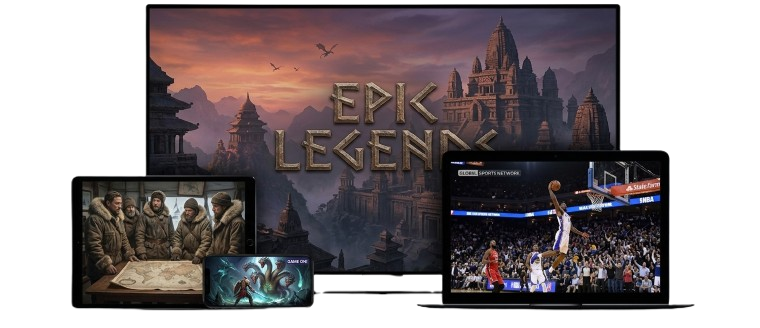
Whether on your Smart TV at home, your computer at the office, or your tablet and smartphone on the go! In short, wherever you are, IPTVBee is there with you.
Apple
Android
Windows
Smart TV
TV Box
Tablet